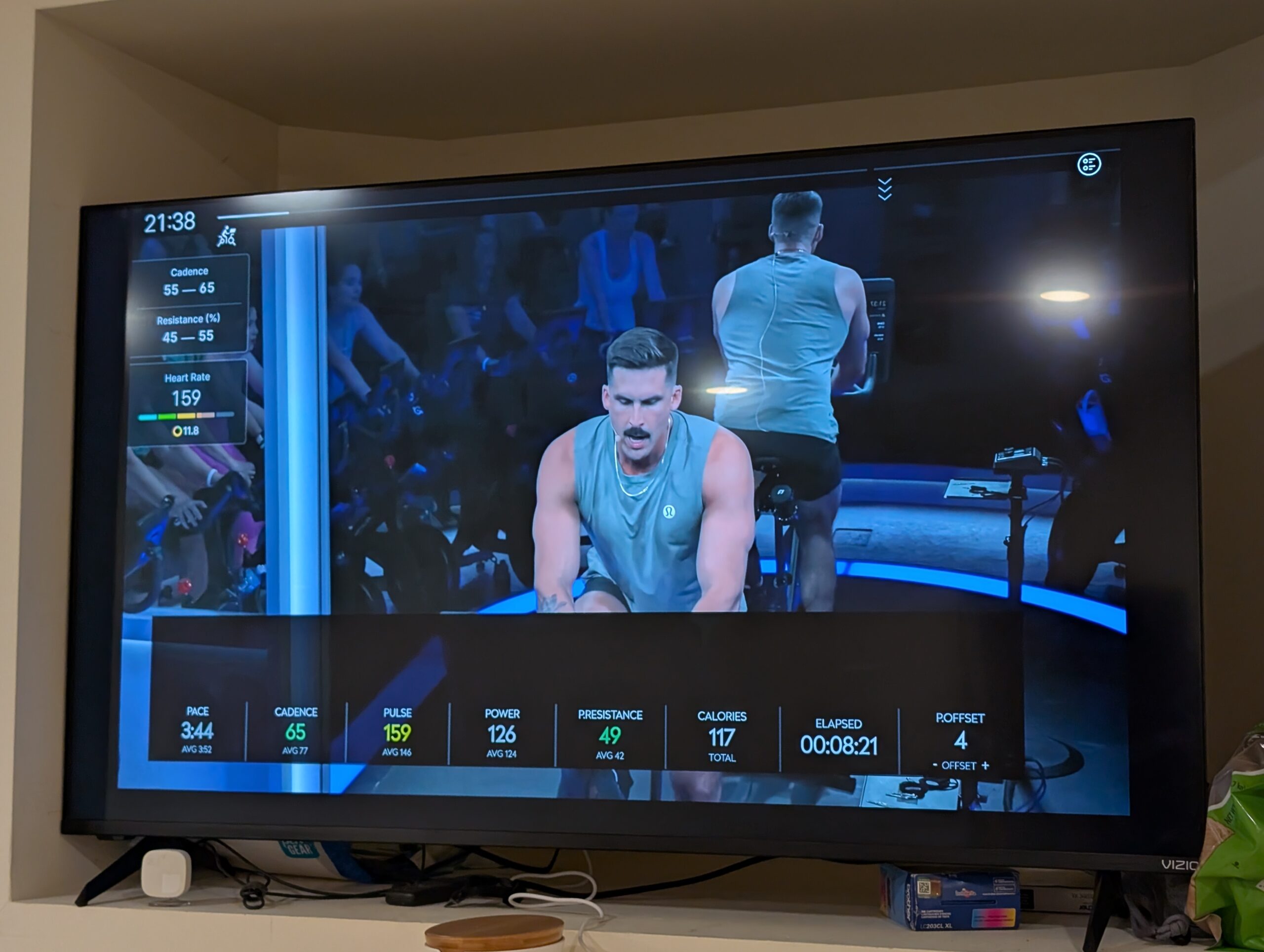
QZ Horizontal Floating has a small but useful display upgrade for structured workouts: public master now includes merged PR #4879, commit d77304d2, which passes total workout remaining-time data into the horizontal floating overlay and shows it on the ELAPSED metric second line when the value is available.
This is a code-level, merged-master feature note. It does not mean every released store build already contains the change. Use a QZ build that includes PR #4879 if you want this behavior now.

This user screenshot demonstrates the overlay in action during a workout. The exact metrics shown depend on the selected QZ layout and the data available from the current workout.
Table of Contents
What changed in Horizontal Floating?
Before this change, the Horizontal Floating template could receive total remaining-time values, but the horizontal update path did not keep that data all the way through to the visible ELAPSED tile. The merged code adds the Peloton Remaining preference to the horizontal settings map, makes ELAPSED visible when either elapsed time or remaining time is enabled, and writes the formatted remaining time to the second line only when it is non-zero.
| Area | Horizontal Floating overlay |
| Metric affected | ELAPSED tile, second line |
| New value shown | Total workout remaining time, when QZ has remaining-time data available |
| Setting path evidenced | The horizontal template now maps the pelotonremaining preference into the elapsed-tile visibility logic |
| Empty-state behavior | The second line remains blank when remaining time is zero or unavailable |
| Separate row timer | Row remaining time remains independent as the Time to Next metric |
Who is this useful for?
This is mainly useful if you keep QZ’s Horizontal Floating overlay open during a workout and want a quick view of total time left without replacing the primary elapsed-time display. It is especially relevant when your workout source provides total remaining-time data and you have the corresponding remaining-time option enabled in QZ.
Setup notes
- Install a QZ build that includes merged PR #4879 / commit
d77304d2. - Enable the Horizontal Floating overlay in your normal QZ display setup.
- Keep the ELAPSED metric visible, or enable the Peloton Remaining option that now also makes the elapsed tile available for this second-line value.
- If no remaining-time value is available for the current workout, the second line is intentionally left empty.
What QZ adds around the display
QZ is more than a display overlay: it can bridge supported bikes, treadmills, ellipticals and rowers to training apps, expose virtual-device workflows, and support integrations such as Zwift, MyWhoosh, ROUVY, Peloton-style workflows, Apple Health / HealthKit, Garmin Connect, Strava and Google Health / Health Connect depending on device, platform and settings.
If something does not work as expected, send an email to Roberto.viola83@gmail.com and Roberto will help you check the setup.
Want a clearer workout dashboard with QZ? Download QZ and learn more at qzfitness.com.